

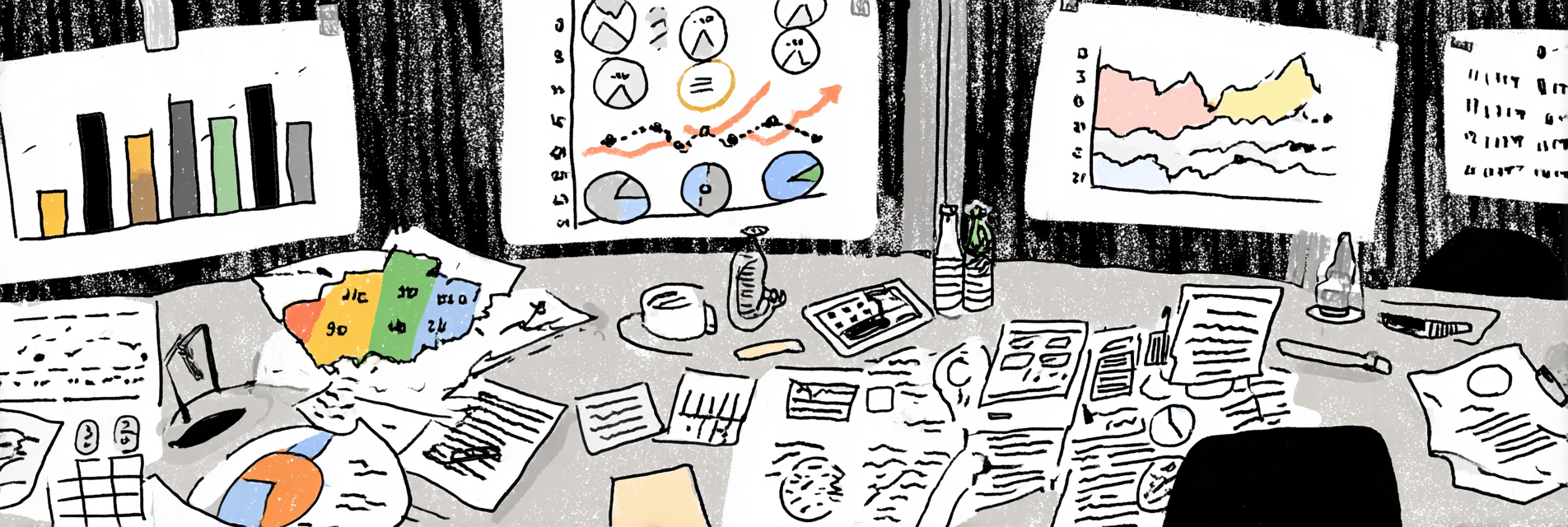
- Infographics have been a part of content strategies for at least two centuries.
- They work because they aid comprehension and signal efficient storytelling and attention to users’ needs.
- They cover a wide range of formats, from bonehead simple to objects of great beauty.
- The data shows they are great for improving your engagement power.
- Effective infographics can be made by anyone with a rudimentary command of digital tools.
Infographics are everywhere – but many organisations fail to make the most of infographic opportunities because they struggle to think visually. Whether you’re working in a comms team, briefing freelancers, or making visuals yourself, here’s what actually makes an infographic work.
A Very Short History of Infographics
Infographics sound like they are new, but they’ve been around for at least two centuries. 18th Century economist and engineer William Playfair is credited with inventing the bar chart and the pie chart.

Source: Wikimedia Commons
Florence Nightingale demonstrated the power of infographics to influence policy change when she used them to make the case for better sanitation for British soldiers during the Crimean War.

Infographics work because they tell effective visual stories. Nightingale’s report on sanitation ran to more than 800 pages. Her illustrations aimed to make sure that no one could be in any doubt about her central finding – preventable diseases were causing more deaths than combat.
Why smart blogs use tables, charts, and fact cards
Ever noticed how the most useful blog posts often look useful at a glance? It’s not just style – it’s science.
Visual formats like tables, charts, and stat cards make content more accessible and memorable because they align with how our brains process information:
- Dual Coding Theory says we understand and remember things better when text is paired with visuals. A well-designed chart plus a clear explanation = double the cognitive impact.
- Cognitive Load Theory reminds us that dense text tires the brain. A fact card or summary table reduces mental strain by chunking key ideas.
- Visual salience helps your post stand out. A bold card or simple chart can act as a hook for readers skimming on mobile.
Using infographics is one of the most useful visual storytelling tips I can suggest. An effective infographic acts like a great hook – instantly drawing your audience in. Here’s how to structure story hooks that work.
5 Types of Infographics and their Strengths and Weaknesses
I’m defining an infographic here as anything that uses a mix of graphics, data visualizations, and concise text to turn information into a story or clear message that is easy for audiences to digest and share. This means anything from simple cards highlighting surprising statistics, through numbered step-by-step visual guides, to the elaborate poster-style graphics that are proliferating on the Web. I’m interested here in identifying what makes an infographic work.
1. The professional, too-big-for-one-screen infographic
Brands love these and they are a mainstay of Content Marketing. They act like visual explainers, can convey enormous authority, and perform extremely well. But they are extremely expensive to produce.
The Content Marketing Institute’s ‘A Brief History of Content Marketing‘ is a model of this type.

My favourite supplier of infographics is Visual Capitalist. It has turned infographics into an art form and aims to make data more accessible. There is seemingly no topic that cannot succumb to an infographic treatment.
This image could have been done as a simple league table. It comes alive as a kind of interplanetary bubble graph.

Such high-end infographics have their place in an organisation’s output. But the production costs mean they are unlikely to be economical for all posts. And the good news is that they don’t need to be.
2. Highly produced Data Journalism
Mainstream media increasingly turns to infographic guides to illustrate more complex stories and to use charts and simple visualisations to tell a story more effectively than words can alone. An entirely new field of ‘data journalism’ has opened up.
One of my favourite examples is the Financial Times’ analysis of commuting across European and US cities:

The point the FT is making is easily stated in text, but the use of a scatter plot to provide comparable data, recognisable examples, and clear patterns brings the story alive in a way that words alone could never do. It’s a clear example of how, sometimes, a situation demands visual storytelling.
There are several newsletters devoted to sharing good examples of data journalism.
3. Textbook-style Explanatory Guides
Some online content resembles school text books – it gives you the feeling it has been structured to make it easier to understand and not to overwhelm. I call this ‘friendly content‘ and it’s much more likely to be read to the end and shared than pure text.
Visuals help all readers when they reduce load, clarify meaning, and support understanding.
I try to do this when posting on LinkedIn and get much better engagement than with just text. I’m a wannabe cartoonist and favour a sketchy, light-hearted style.

I used Sketchwow to generate this graphic. It can create all sorts of illustrations with very little effort. I also use Photoshop, but that requires considerable investment, and my aim here is to persuade you that you can do a lot of illustration painlessly. NB I’ve yet to find anything AI-powered that is remotely useful.
One thing to mention here is that creating infographics requires you to simplify a lot. And that can help you go back to your original material and revise it to make it more accessible.
I spend a lot of time looking at other organisations’ graphics output and here are some simple but effective examples of graphical guides:


4. Really Simple Graphics Anyone Can Use to Tell a Good Visual Story
The class of infographic I find most interesting is the DIY sort – those that don’t require specialist tools or the input of a professional designer. That’s partly because I use them myself to boost interest in my content. And it’s partly because I think something happens when you ask a non-designer to start thinking visually – it forces the brain into a different configuration and, in my experience, helps to simplify written content as well.
Here are four types I use with some examples from around the Web.
League Tables and Rankings
League tables are extremely popular. Organisations that provide the data increasingly produce their own branded infographics that are optimised for sharing.
Often you will find that no such infographics exist. In this case, you can create your own using Microsoft Excel or Google Sheets. They may lack the beauty of a fully designed graphic, but they will still jump out of the page or the stream and may even allow for more clarity.
This graphic was created using Google Sheets:

Pie charts
These don’t need to be lavishly produced to be effective. The New York Times uses a simple technique to get across the structure of the Murdoch Family Trust:

If you already have the data, simple pie charts can be set up in a matter of minutes using Google Sheets or Microsoft Excel.

Line charts
The International Monetary Fund is particularly keen on line charts. This one uses dotted lines to indicate how current forecasts differ from earlier ones and that’s easily replicable in Google Sheets and Microsoft Excel. The choice of colours for such charts is important and I would recommend greater contrast than the IMF has used when there are more than 3 lines to display.

Fact cards
A fact card typically refers to a small, standalone visual or content block that presents a single clear fact, often with supporting context or explanation. It’s designed to be:
- Concise: one main idea or data point
- Visual: often includes bold typography, icons, or charts
- Shareable: easy to screenshot, post on social media, or embed in a blog post
- Authoritative: implies a degree of reliability or citation, even if informal

Text Overlays on Images
There is remarkably little research into whether adding text to a photo makes any difference to engagement. And yet it’s the simplest way of increasing engagement rates in social streams and increasingly how we experience media:
- Instagram posts are like the vertical ads you find at bus stops and the best ones use text and images expertly.
- Look at the thumbnails of high-performing Youtube channels and you’ll see most use big text to get across the topic.
- Netflix reports that 40% of viewers use subtitles regularly.
In my work, using text overlays have led to significant increases in engagement on social media feeds because they help to sell the benefits of reading on, clicking through, and watching more:

The closest parallel I see in the offline world is magazine covers – their entire purpose is to encourage you to buy or flick through, which is identical to the online challenge of all publishers.
What the data says about the engagement power of infographics
As a general rule, posts with simple graphics do better than those without. Here are some datapoints I’ve collected about their effectivenss:
- At the World Economic Forum, internal research showed that social posts with an infographic did 5x better than those with the more common stock photos.
- One study found that the presence of an infographic in an online article increased reading time by 30-50%.
- Marketing pros surveyed by Venngage found that original graphics were by far the best performers for engagement.

Four Ways to Create Infographics for Social Media
Make Use of Built-In Tools
PowerPoint, Google Slides, Excel, and Google Sheets are often overlooked, but they’re great for creating clean charts and simple visuals. Just export your design as an image for quick use on blogs or social media.
Hire a Professional Designer
Ideal for important or high-visibility content where quality matters. You’ll get custom visuals aligned with your brand – but expect to pay for the polish.
Use a Subscription-Based Design Tool
Platforms like Canva, Piktochart, and Visme offer templates, icons, and drag-and-drop tools. Great for teams or individuals creating graphics regularly. Many have free tiers, but premium features often require a subscription.
Try AI or Smart Template Tools
Tools like Canva’s Magic Design, Infogram, Venngage, Simplified, Adobe Express, and even ChatGPT (with image generation) can help you create designs from prompts or datasets. These tools are perfect for fast content production – especially when time or design skills are limited. If you’re experimenting with creating visuals yourself, this guide to using ChatGPT for digital content includes ideas for using AI to simplify your message before you visualise it.